Fee collection for CAs
Bill clients and get paid — straight into your own account
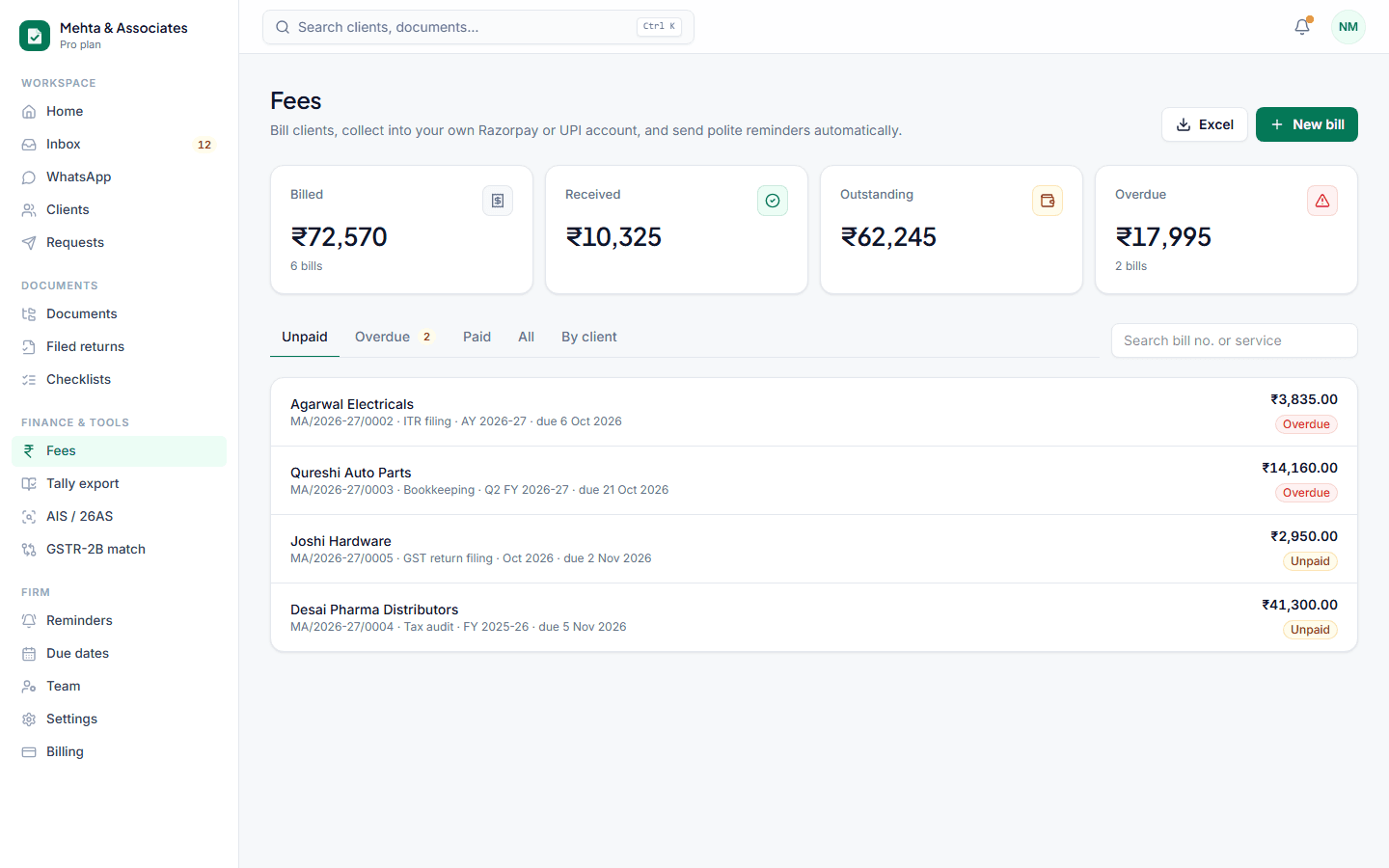
Fees are the one thing clients delay more than documents. Docflo sends a proper bill with a payment link, reminds the client politely before and after the due date, and can hold their filed ITR-V or GST acknowledgement until the bill is paid.
Your money, your account
Clients pay your UPI ID or your own Razorpay account. Docflo never touches the money — it only shows the bill and the payment options.
Bills that look professional
Your logo, GSTIN and bank details, CGST and SGST or IGST worked out from the client's state, sequential numbers per financial year, and a PDF that opens anywhere.
Release after payment
Mark a filed return or acknowledgement as 'release after payment'. The client sees it is ready, and it is delivered automatically the moment the bill is paid.
Reminders you don't have to send
A friendly note before the due date, one on the day and a few after — never during your quiet hours, and they stop as soon as the payment arrives.
How it works
- 1Add your UPI ID or Razorpay keys in Settings → Payments.
- 2Create a bill and send it on WhatsApp or email.
- 3Payments are marked automatically (Razorpay) or confirmed by your team with one click (UPI).
Questions
Does Docflo charge a fee on my clients' payments?
No. Payments go directly to your UPI ID or your Razorpay account. Razorpay's own charges apply only if you use Razorpay.
How do UPI payments get marked as paid?
The client pays from any UPI app and can enter the UTR number on the bill page. Your team sees it, checks the bank, and confirms it with one click.
Can I see who owes what?
Yes. The Fees page shows billed, received, outstanding and overdue amounts for the firm and per client, and exports everything to Excel.
Stop chasing documents this month.
Set up in ten minutes. Free for your first 15 clients, no card needed.