Reminder automation
Polite reminders that go out on their own
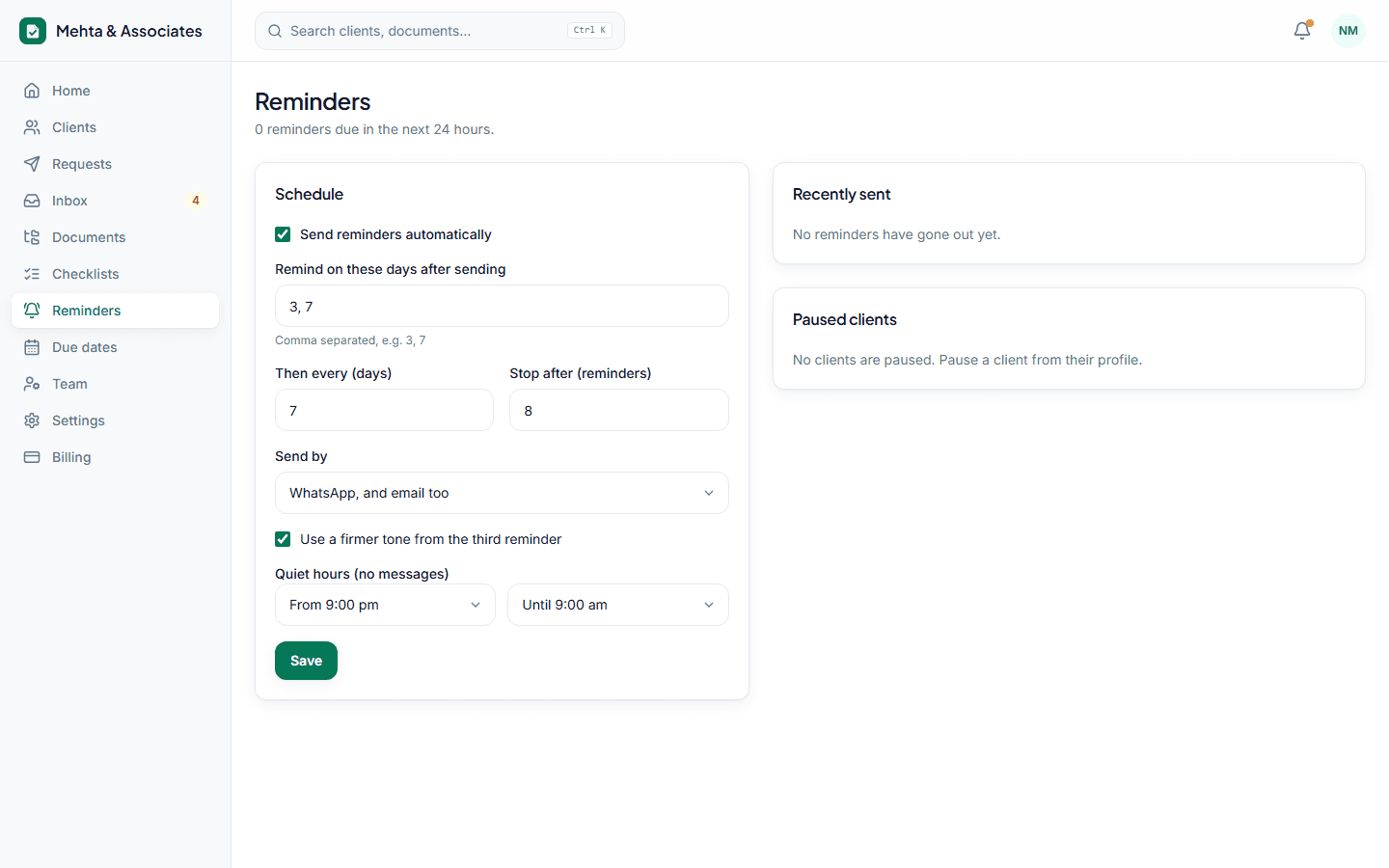
Set the schedule once. Docflo reminds each client about exactly what is still pending, in their language, and stops as soon as the last document arrives.
Only what is pending
Each reminder lists the documents still missing — not the full checklist — with the client's personal upload link.
Their language
English, Hindi or Gujarati, chosen per client. Tone moves from friendly to firm after the second reminder if you want it to.
Respectful timing
No messages between 9 pm and 9 am. Pause reminders for any client with one click, or let them snooze by replying 'kal bhejta hoon'.
Linked to due dates
The compliance calendar for GST, TDS, advance tax and ITR helps you send requests early enough.
How it works
- 1Choose the schedule — for example day 3, day 7, then weekly.
- 2Send a request; reminders start automatically.
- 3They stop when every required document is in.
Questions
Can I send a reminder right now?
Yes. Every request has a 'Remind now' button alongside the automatic schedule.
What if a client has no WhatsApp?
Reminders go by email instead, or both — you choose per firm.
Stop chasing documents this month.
Set up in ten minutes. Free for your first 15 clients, no card needed.